LG-003 - Understanding the Internet
The internet connects billions of people around the world. Learn how websites, browsers and search engines work and gain the confidence to browse the internet safely.
Before You Begin
Knowledge Prerequisites
You don't need to know anything about the internet before starting this guide.
If you already have a computer, tablet or smartphone, you can follow along as you read. If not, this guide will still help you understand how the internet works before you begin using it.
Remember, you don't need to understand all the technical details. You only need to understand enough to use it confidently.
Learning Objectives
By the end of this guide you will be able to:
- Explain what the internet is.
- Understand the difference between the internet and the web.
- Recognise a website.
- Understand what a web browser does.
- Understand what a search engine does.
- Identify a website address.
- Browse the internet more confidently.
Introduction
Almost everything we do with technology today involves the internet.
Whether you're sending an email, watching YouTube, reading the news, checking the weather or talking with family on a video call, you're probably using the internet.
The good news is that using the internet is much easier than understanding how it works behind the scenes.
Think of it like driving a car. You don't need to know how the engine works to drive safely.
What Is the Internet?
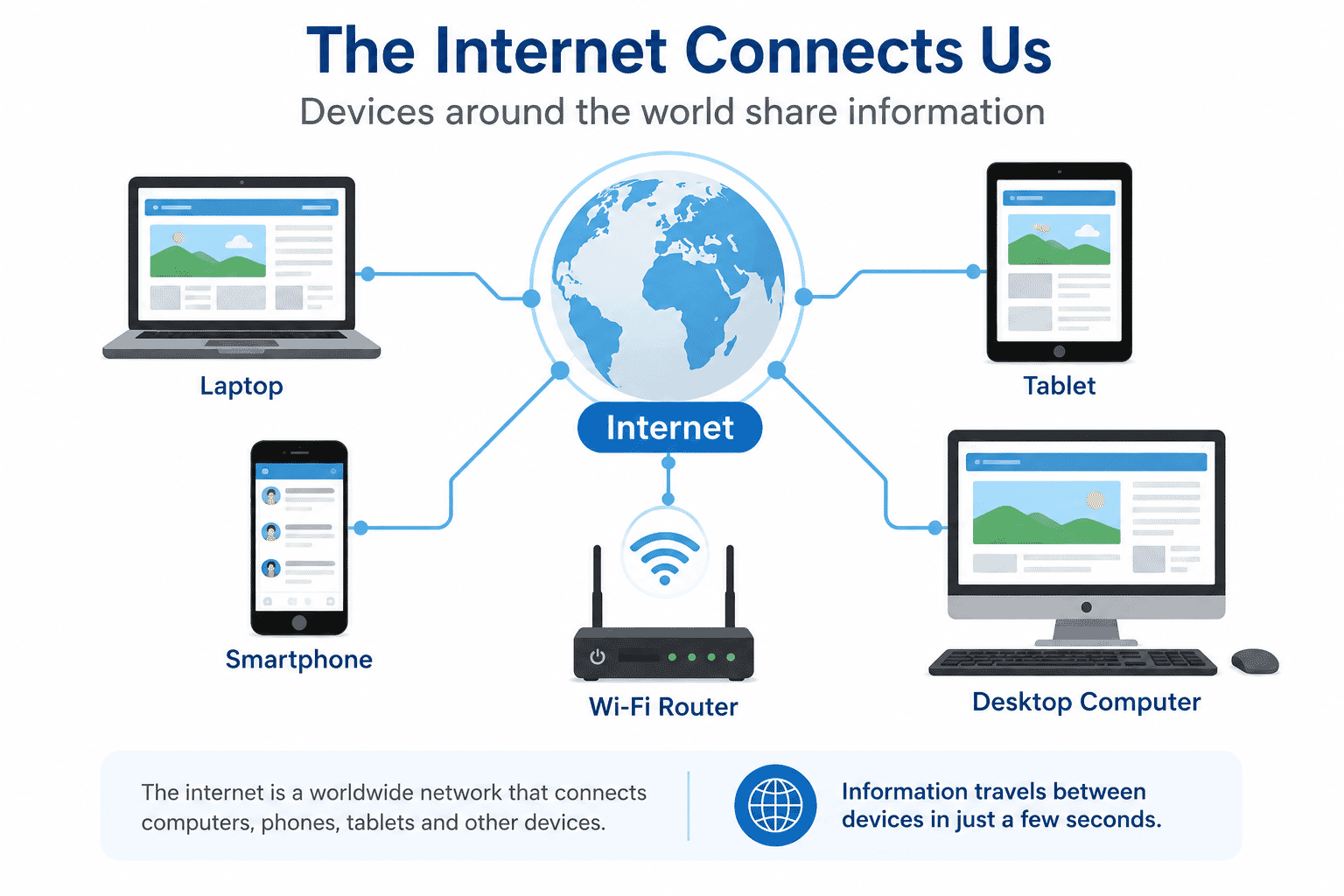
The internet is a worldwide network that connects billions of computers, phones, tablets and other devices.
It allows those devices to share information with each other.
Imagine a huge network of roads connecting every town and city in Australia.
Instead of cars travelling on those roads, information travels between computers.
Whenever you visit a website, send an email or watch a video, information travels across this global network in just a few seconds.
The Internet and the World Wide Web
Many people use the words Internet and Web as if they mean the same thing.
They're closely related, but they are different.
The Internet is the worldwide network that connects devices.
The World Wide Web (Web) is one of the services that runs on the internet.
The Web is made up of millions of websites that you can visit using a web browser.
In everyday conversation, it's perfectly normal to simply say "the internet."
What Is a Website?
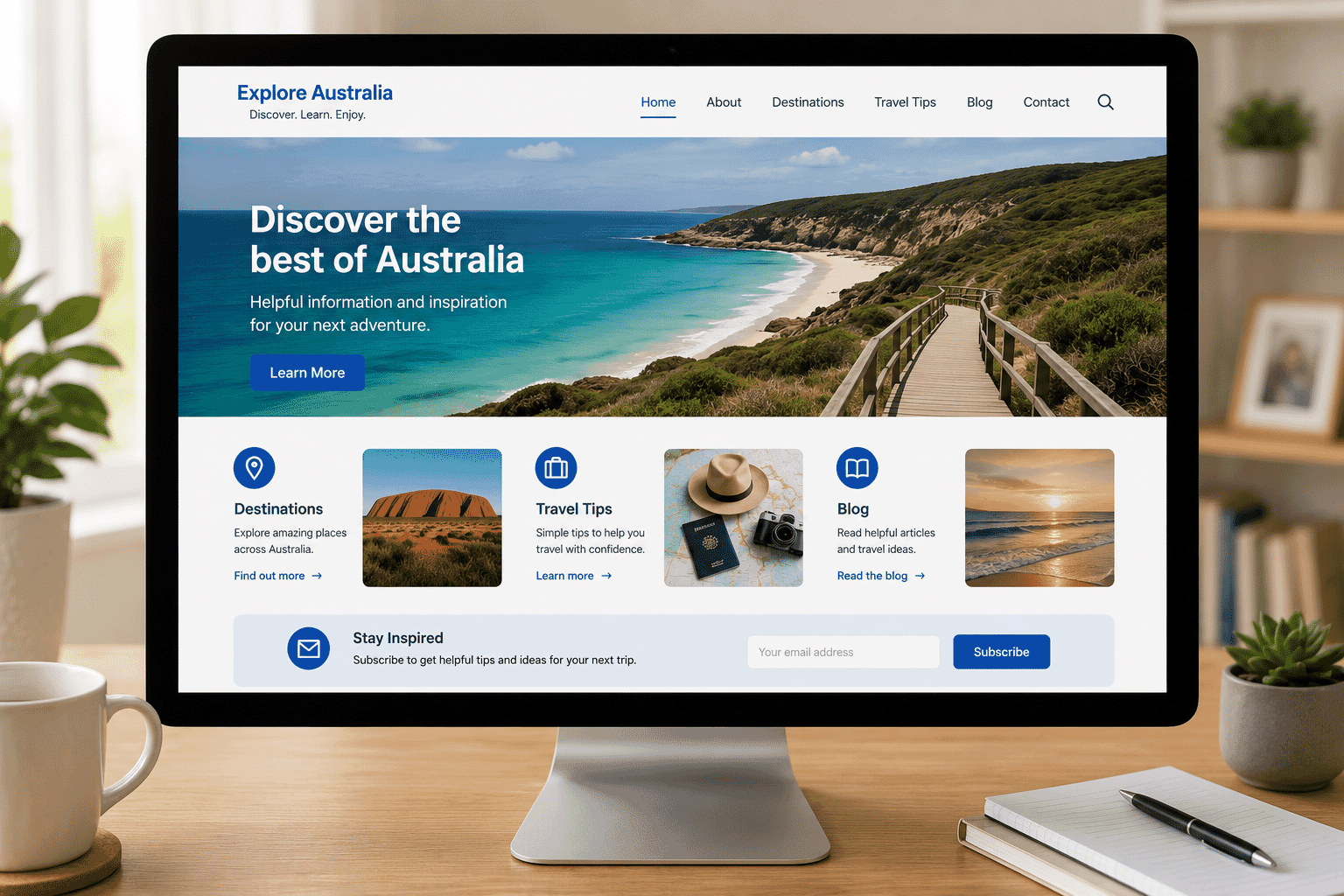
A website is a collection of related web pages.
Each website usually focuses on a particular organisation, topic or service.
Some popular examples include:
- ABC News
- Services Australia
- YouTube
- Wikipedia
- Troubleshoot IT
Most websites have a homepage that acts as the main starting point.
From there, you can click links to visit other pages.
What Is a Web Browser?
A web browser is the program you use to view websites.
Think of it as the window that lets you look at the internet.
Popular browsers include:
- Google Chrome
- Microsoft Edge
- Safari
- Mozilla Firefox
Although they look slightly different, they all perform the same basic job.
Choose one that you feel comfortable using.
What Is a Search Engine?
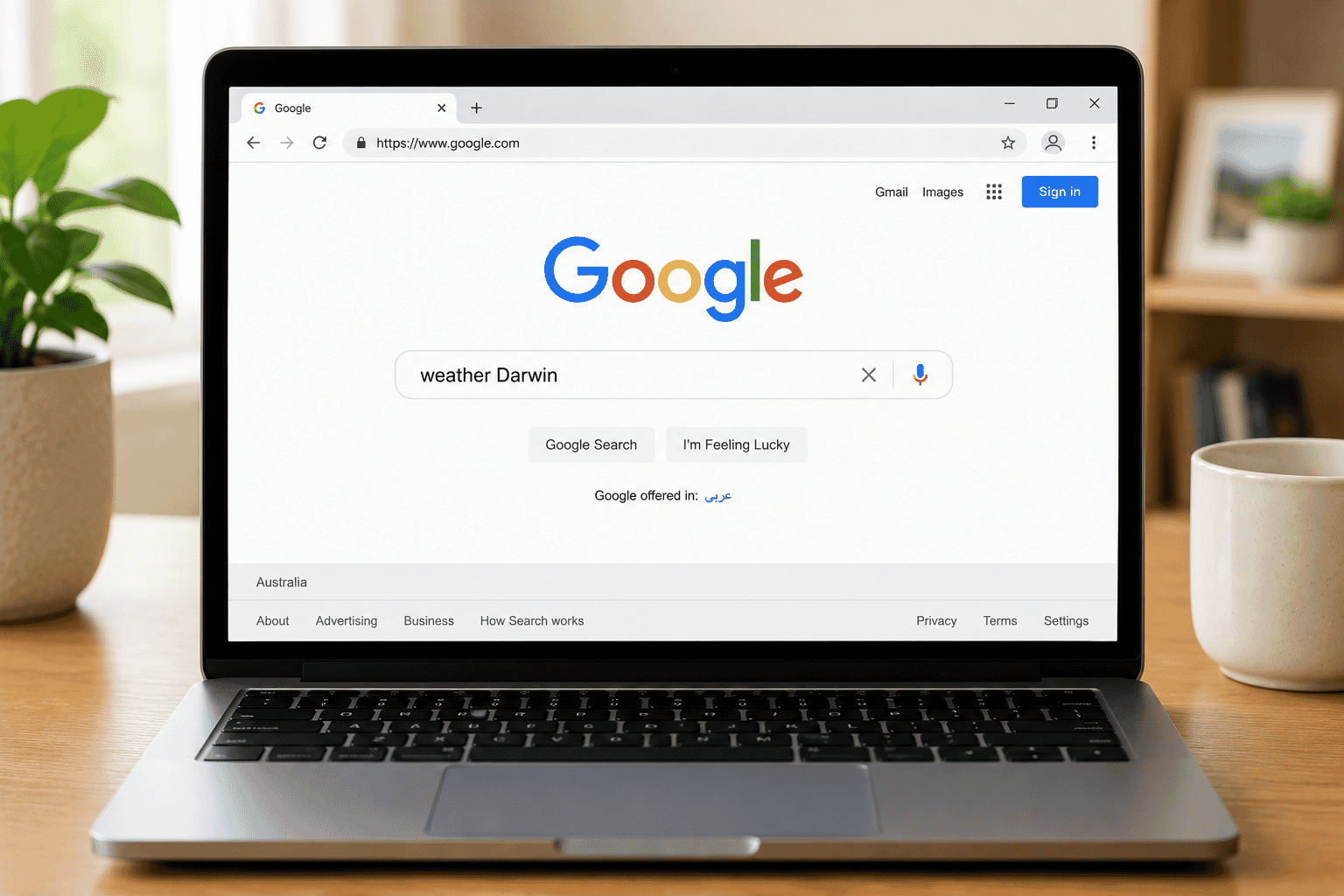
A search engine helps you find information on the internet.
Instead of remembering thousands of website addresses, you simply type what you're looking for.
Popular search engines include:
- Bing
- DuckDuckGo
For example, you could search for:
- Darwin weather
- Healthy dinner recipes
- Medicare
- Gardening tips
- Troubleshoot IT
The search engine then shows websites that may contain the information you're looking for.
Search Engines and Browsers Are Different
One of the most common beginner questions is:
"Is Google the internet?"
The answer is no.
Google is a search engine.
Google Chrome is a web browser.
The internet is the worldwide network that connects everything together.
A simple way to remember it is:
- Internet = the network
- Browser = the tool you use to view websites
- Search engine = the tool that helps you find websites
Website Addresses
Every website has its own unique address.
This is called a URL (Uniform Resource Locator), although most people simply call it a website address.
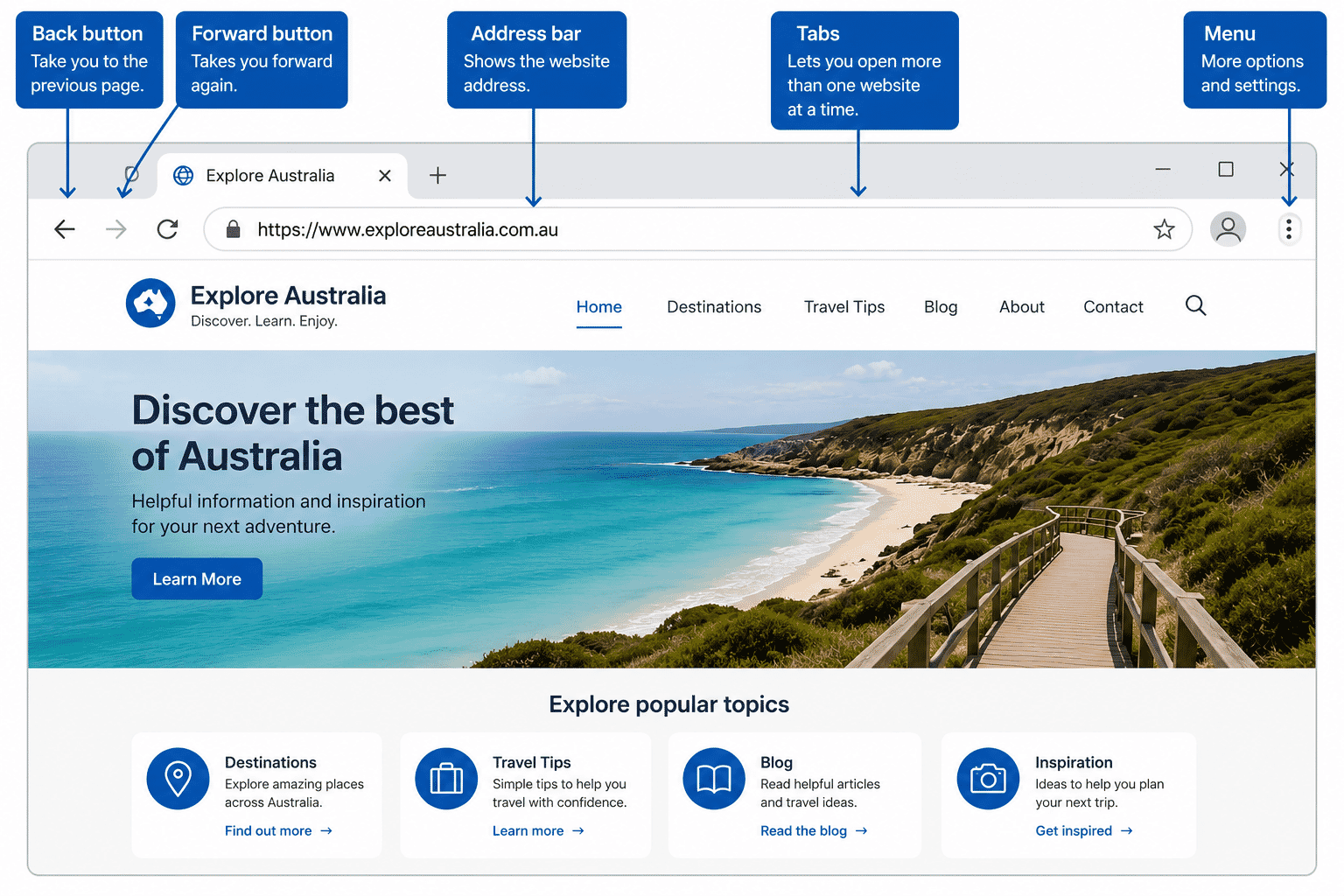
Examples include:
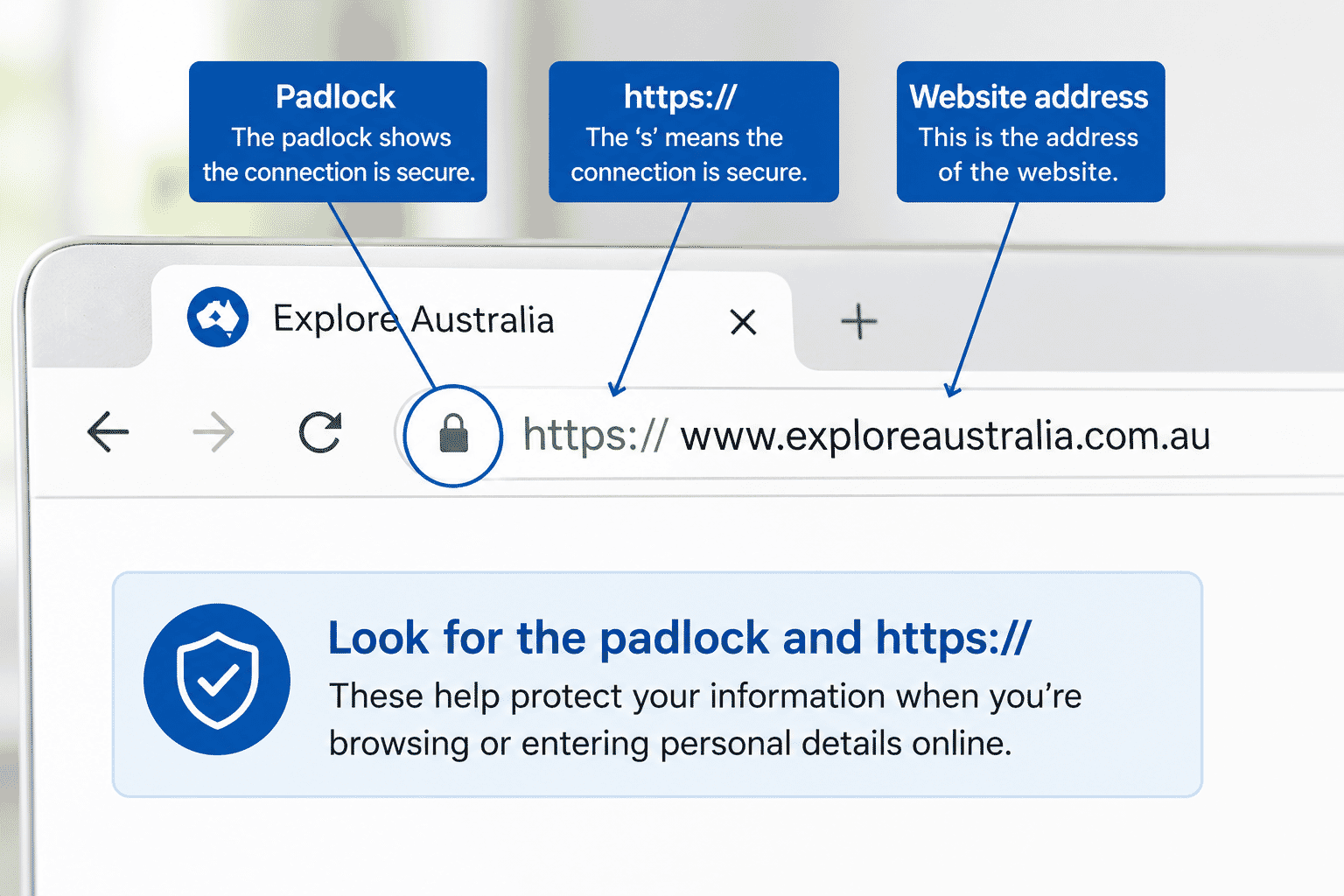
Many website addresses begin with https://.
The S stands for Secure.
It means information sent between your device and the website is encrypted, helping protect your privacy.
Clicking Links
A hyperlink (or simply a link) takes you to another webpage.
Links may appear as:
- Blue text
- Buttons
- Images
- Menu items
Clicking or tapping a link opens another page.
If you ever end up somewhere you didn't expect, simply use your browser's Back button.
Wi-Fi and the Internet
People often think Wi-Fi and the internet are the same thing.
They're actually different.
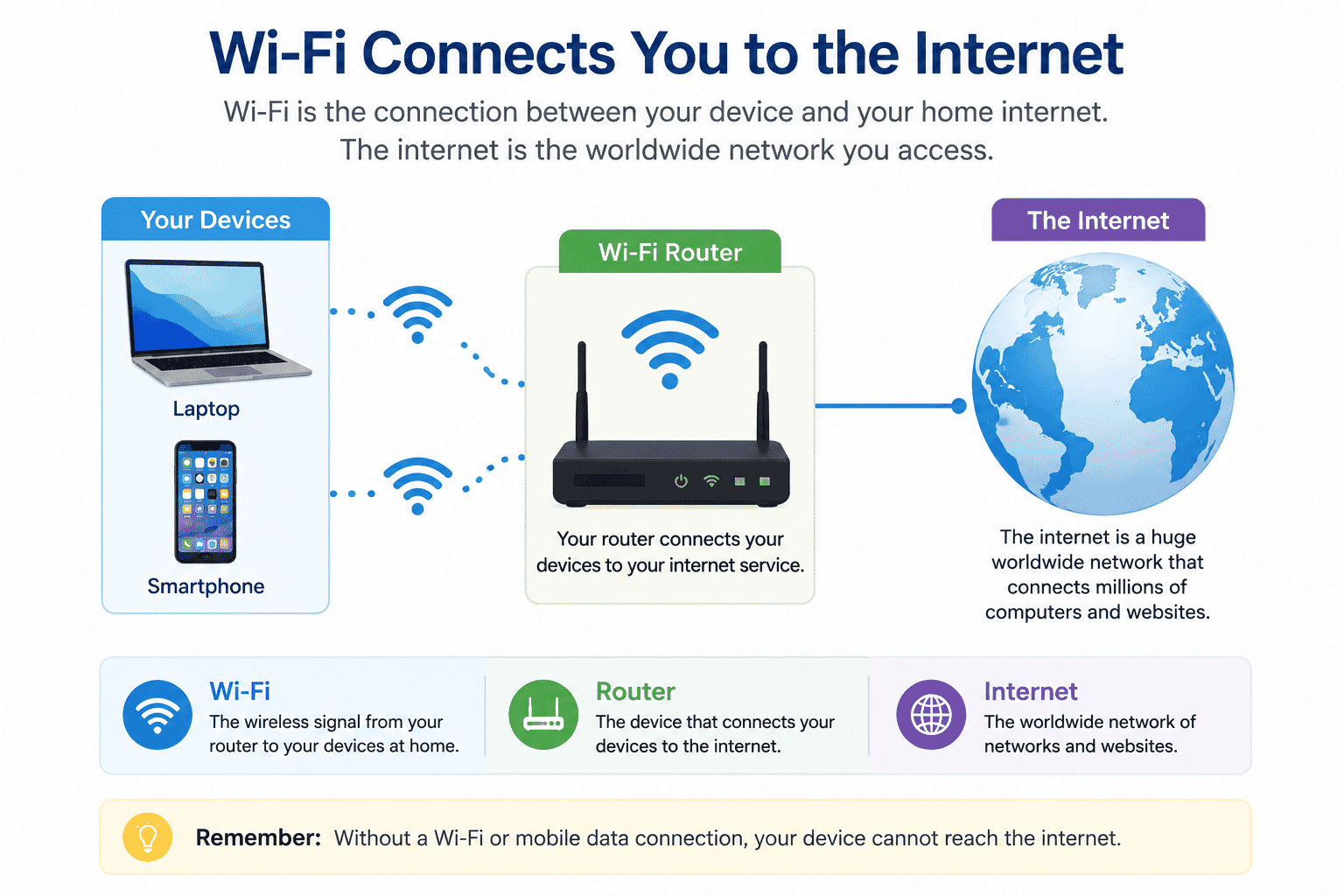
Wi-Fi is the wireless connection between your device and your home internet service.
The internet is the worldwide network you access after your device connects.
If your Wi-Fi disconnects, your device may no longer be able to reach the internet.
We'll cover Wi-Fi in more detail in the next guide.
Everyday Things You Can Do
The internet can help with many everyday activities, including:
- Reading the news
- Watching videos
- Finding recipes
- Checking the weather
- Sending emails
- Talking with family
- Shopping online
- Booking appointments
- Accessing government services
- Learning new skills
- Listening to music
- Reading books
The internet is simply another tool that can make everyday life easier.
Staying Safe Online
Most websites are perfectly safe to visit, but it's still important to develop good habits.
Remember to:
- Visit websites you know and trust.
- Look for https:// when entering personal information.
- Be cautious of unexpected pop-up messages.
- Never share passwords.
- Avoid clicking suspicious links in emails or text messages.
- Ask someone you trust if you're unsure.
There's no need to be afraid of the internet.
A little caution goes a long way.
Try It Yourself
If you have a computer, tablet or smartphone, practise these simple tasks.
- Open your web browser.
- Visit www.abc.net.au.
- Return to the previous page.
- Search Google for "Darwin weather".
- Open one of the search results.
- Visit www.troubleshootit.com.au.
Take your time.
There is no rush.
Helpful Tips
- Read before clicking.
- Keep your browser updated.
- Don't worry if you make a mistake.
- Use the Back button whenever you're lost.
- Bookmark websites you visit often.
- Ask questions whenever you're unsure.
Confidence grows through practice.
Common Mistakes
Many beginners accidentally:
- Confuse Google with the internet.
- Close the browser instead of going back.
- Click advertisements instead of search results.
- Think every website is trustworthy.
- Believe they have "broken" the internet.
These are all normal learning experiences.
Troubleshooting
A website won't load.
Check your internet connection and try refreshing the page.
I can't find what I'm looking for.
Try searching with different words.
The website looks confusing.
Look for menus, headings or a search box.
I clicked the wrong link.
Use your browser's Back button.
My internet has stopped working.
Check whether your Wi-Fi is connected.
If it still doesn't work, restart your modem or router.
Summary
The internet connects billions of devices around the world and gives us access to an incredible amount of information and services.
Once you understand websites, browsers, search engines and website addresses, browsing the internet becomes much less intimidating.
Like any new skill, confidence comes with practice.
What You've Learned
You now know:
- What the internet is.
- The difference between the internet and the web.
- What a website is.
- What a web browser does.
- What a search engine does.
- What a website address looks like.
- Basic online safety habits.
Keep Learning
Continue your learning with:
- LG-004 – Connecting to Wi-Fi
- LG-005 – Using a Web Browser
- LG-006 – Searching the Internet
These guides build on what you've learned here and will help you become even more confident using technology.
Congratulations!
You now understand one of the most important concepts in modern technology.
Every time you browse a website, watch a video or search for information, you'll have a better understanding of what's happening behind the scenes.
Keep exploring, stay curious and remember that learning technology is a journey.
Every new skill helps you become more confident, more independent and more connected.
Requirements
None
Learning Paths
View all pathsNeed some help with this?
Protect your photos and files, automatic backups plus a “test restore” so you know it works.
Troubleshoot IT provides practical, one-to-one technology support across Darwin, Palmerston and surrounding areas.